

Table of Contents
- Humanscale vs Alternative Desk Solutions: Quick Comparison
- What Makes Humanscale Stand Out
- How to Fix Neck Pain from Desk Work Without Premium Pricing
- Best Ergonomic Standing Desk Brands Beyond Humanscale
- Price vs. Value: Where Humanscale Wins and Where Alternatives Deliver
- Build Quality, Durability, and Long-Term Maintenance
- Ease of Assembly and Shared Workspace Suitability
- Making Your Choice: Key Evaluation Criteria
Last Updated: August 30, 2026
Humanscale vs Alternative Desk Solutions: Quick Comparison
When neck pain hits by mid-afternoon, most office workers assume they need premium ergonomic desk solutions. The reality is more nuanced. While Humanscale has built a reputation for high-end adjustability, the market now offers compelling alternatives that solve the same problems at different price points with varying trade-offs in durability, setup, and maintenance.
This guide breaks down how Humanscale stacks up against other ergonomic desk solutions, what actually matters when choosing between them, and where you can save money without sacrificing features that reduce neck strain.
| Aspect | Humanscale | Budget Alternatives | Mid-Range Options | MyStuff Picks |
|---|---|---|---|---|
| Starting Price | Premium | $200-$500 | $500-$1,200 | $48-$50 (accessories) |
| Weight-Sensitive Recline | Yes (proprietary) | Limited or manual | Yes (some models) | N/A (stands focus on elevation) |
| Monitor Arm Compatibility | Proprietary mounts | Standard VESA | Standard VESA | Standard compatibility |
| Assembly Time | 30-45 minutes | 20-30 minutes | 45-90 minutes | 5-10 minutes |
| Warranty | 12 years | 2-5 years | 5-10 years | 1 year |
| Best For | Premium offices, long-term investment | Small budgets, basic needs | Growing teams, balanced features | Workspace elevation, neck relief |
What Makes Humanscale Stand Out
Humanscale's core differentiator is its weight-sensitive recline mechanism, which automatically adjusts chair tension based on your body weight without manual adjustment. This addresses a real problem: most office workers never adjust their chair settings after initial setup, leaving themselves in suboptimal positions for hours.
The brand emphasizes integrated design, treating the chair, desk, and monitor as a system rather than separate components. Their monitor arms integrate directly with desks, cable management happens within the frame, and the aesthetic is intentionally minimalist. For companies with strict design standards, this integrated approach has genuine appeal.
Humanscale chairs carry a 12-year warranty, one of the longest in the industry. High-grade materials are chosen for longevity. If you're furnishing a permanent office and plan to keep the same setup for a decade, this durability matters.
However, these advantages come at a cost. Humanscale products typically start at $800-$1,200 for a complete seating solution. For many remote workers and small teams, this price point is difficult to justify, especially when neck pain can be addressed through other means.
How to Fix Neck Pain from Desk Work Without Premium Pricing
Neck pain from desk work typically stems from three misalignments: your monitor is too low, your keyboard is too high, or your chair doesn't support your lower back. Premium ergonomic desk solutions address all three simultaneously. Budget alternatives force you to prioritize.
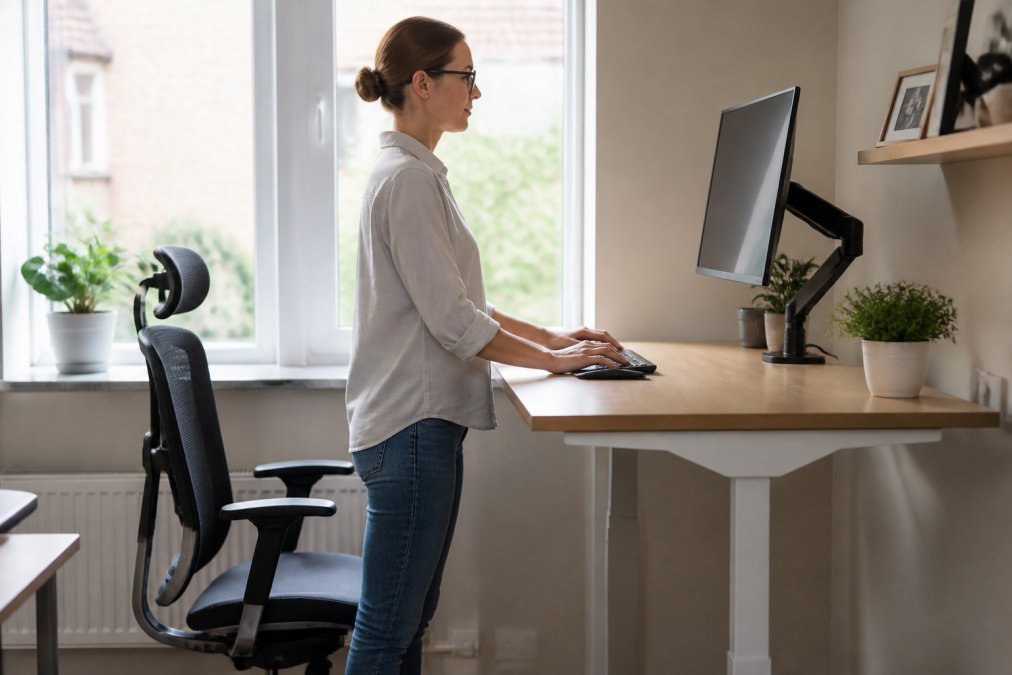
Lumbar Support and Ergonomic Adjustability
The lumbar spine curves inward naturally. When you sit without proper lumbar support, you flatten that curve, placing pressure on the discs and muscles. Over hours, this pressure accumulates into pain.
Humanscale addresses this through integrated lumbar adjustment mechanisms that move with you as you recline. Budget chairs typically offer fixed lumbar support or a dial you adjust once. Mid-range options like Steelcase and Herman Miller offer adjustable lumbar support nearly as responsive as Humanscale but cost 20-30% less.
If you sit in the same position all day, fixed lumbar support works fine. If you move between sitting and semi-reclined positions, adjustable lumbar support becomes more valuable.
MyStuff's Modulemaster Adjustable Laptop Stand ($48.66) takes a different approach. Rather than adjusting the chair, it elevates your monitor and keyboard to match your natural seated position. For people who work on laptops or need flexible workspace solutions, this elevation eliminates much of the neck strain without requiring a new chair.

Weight-Sensitive Recline Mechanisms
Humanscale's weight-sensitive recline automatically adjusts tension as you lean back, keeping your spine aligned throughout the recline. Most budget and mid-range chairs use manual recline adjustment, you pull a lever, lean back, and lock it in place. This works if you remember to adjust it and if your preferred angle matches your actual needs throughout the day.
The real question: do you actually recline during work? Many office workers stay in one position for 6-8 hours. If that's you, weight-sensitive recline is a luxury you won't use. If you frequently shift between upright and reclined positions, automatic adjustment prevents micro-adjustments that accumulate into discomfort.
Budget alternatives like Ikea's Markus offer basic recline without weight sensitivity. If your workspace is stable and you don't need constant repositioning, the difference in daily comfort is minimal.
Monitor Arm and Cable Management
A monitor arm elevates your screen to eye level and clears desk space by mounting the monitor to the desk rather than using a stand.
Humanscale's monitor arms use proprietary mounting systems that integrate with their desks. This looks clean but locks you into their ecosystem. Standard VESA-mount arms (the industry standard) cost $30-$150 and work with any monitor manufactured in the last decade. They're less aesthetically integrated but far more flexible.
Cable management is similar. Humanscale routes cables through the desk frame, creating a seamless look. Budget desks offer cable clips and trays that do the same job less elegantly. In shared offices where multiple people use the same desk, integrated cable management is harder to maintain.
Best Ergonomic Standing Desk Brands Beyond Humanscale
Steelcase Leap ($800-$1,000) is the closest competitor to Humanscale. It offers LiveLumbar technology (adjustable lumbar support that responds to movement), weight-sensitive recline, and a 12-year warranty. The main difference is aesthetic, Steelcase prioritizes function over minimalist design.
Herman Miller Aeron ($1,200-$1,400) is positioned above Humanscale in price but has a cult following among ergonomic enthusiasts. It offers PostureFit lumbar support and eight adjustment points for fine-tuning fit. For people who spend 8+ hours daily in the same chair, the investment in customization pays dividends.
Autonomous SmartDesk ($400-$800) is a motorized standing desk that addresses neck pain through height adjustment. You stand for part of the day, sit for part of the day, and alternate between positions. This dynamic seating approach reduces strain from staying in one position too long.
Ikea Markus ($150-$250) is the budget option. It offers basic lumbar support, recline adjustment, and adequate durability for occasional use. It won't last 12 years, but it will serve a student or part-time remote worker for 3-5 years.
MyStuff's Modulemaster Adjustable Laptop Stand ($48.66) is designed for people who already have a desk and chair but need monitor elevation. It's lightweight, portable, and adjustable to multiple heights, making it ideal for shared workspaces.
Price vs. Value: Where Humanscale Wins and Where Alternatives Deliver
Humanscale's premium pricing reflects integrated design, proprietary innovation (weight-sensitive recline), and durability (12-year warranty). If you plan to keep the same setup for a decade, the cost-per-year is reasonable.
A $1,000 Humanscale chair used for 10 years costs $100 per year. A $300 budget chair replaced every 3 years costs $100 per year. The math is similar, but the experience differs. Humanscale offers consistency and integrated aesthetics. Budget alternatives offer flexibility and lower upfront cost.
For shared workspaces, the value proposition flips. If six people rotate through the same desk, durability becomes less important and flexibility becomes critical. A standard VESA monitor arm and a basic chair make more sense than integrated Humanscale components.
Remote workers working part-time rarely justify premium ergonomic investments. A $200 chair and a monitor stand often solve the problem.
The hidden cost of premium ergonomic desk solutions is switching cost. Once you've invested in Humanscale's integrated system, changing any component means replacing compatible parts. Budget alternatives use standard mounts and interfaces, making upgrades cheaper and easier.
Build Quality, Durability, and Long-Term Maintenance
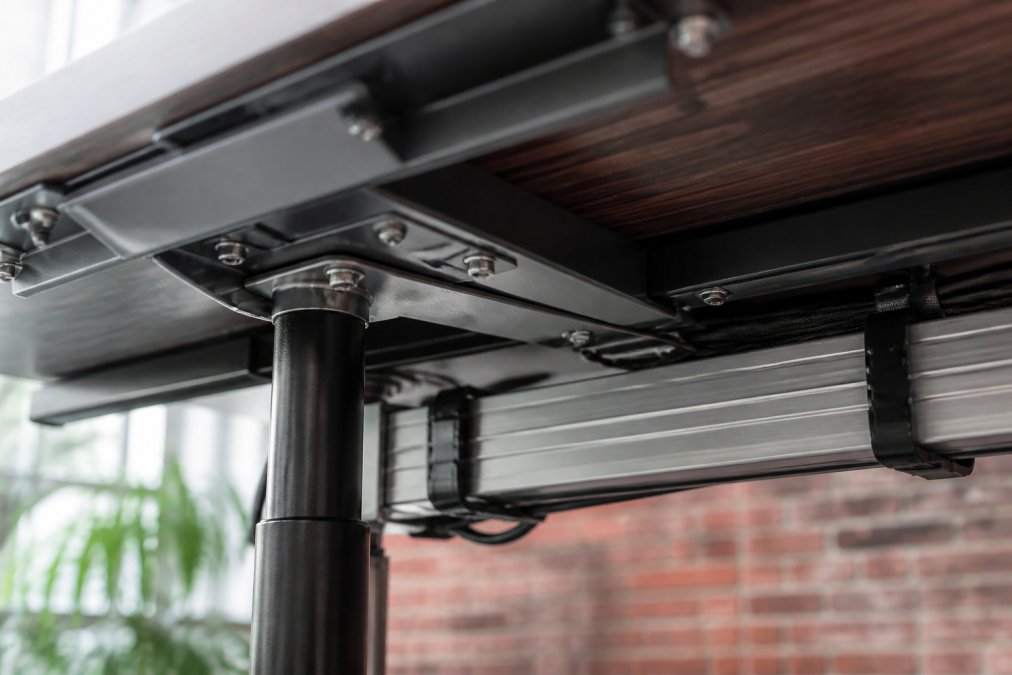
Humanscale uses high-grade materials: aluminum frames, reinforced plastic composites, and precision-engineered mechanisms. Humanscale chairs often outlast their owners' careers. The trade-off: repairs are expensive and often require professional service. A broken pneumatic lift or damaged recline mechanism can cost $200-$400 to replace.
Budget chairs use lighter materials and simpler mechanisms. A broken wheel or torn fabric is easier and cheaper to replace (often $20-$50), but the chair itself may not survive five years of daily use. The pneumatic lift is often the first component to fail in budget chairs, typically around year 3-4.
Mid-range options (Steelcase, Herman Miller) use durable materials and precision engineering but aren't as over-engineered as Humanscale. A Steelcase chair typically lasts 7-10 years with minimal maintenance, and parts are more affordable to replace.
For shared workspaces, durability is less critical because wear is distributed across multiple users. A chair that lasts 5 years in a shared environment might last 10 years with a single user.
MyStuff's Modulemaster Laptop Stand has no moving parts, no mechanisms to wear, and no proprietary components. If it breaks, you replace it for under $50. This simplicity is a feature for workspaces that prioritize flexibility over permanence.
Ease of Assembly and Shared Workspace Suitability
Humanscale chairs typically require 30-45 minutes to assemble. You're attaching the base, installing the recline mechanism, adjusting lumbar support, and configuring the height. Budget chairs assemble in 15-25 minutes. Mid-range options take 45-90 minutes because they have more adjustment points.
In shared workspaces, assembly time is less important than reconfiguration ease. If three people use the same desk on different days, you need to quickly adjust seat height, lumbar support, and armrest position. Humanscale's integrated adjustments are designed for this. Budget chairs with manual adjustments require more time to reconfigure but are still manageable.
The real advantage of budget options in shared spaces is that misconfiguration is less likely to cause damage. If someone adjusts a manual lever incorrectly on a budget chair, the worst case is discomfort. On a premium chair with precision mechanisms, incorrect adjustment can damage internal components.
MyStuff's Modulemaster Laptop Stand requires no assembly and comes ready to use. For shared workspaces where multiple people need different monitor heights, this plug-and-play approach is ideal.
Making Your Choice: Key Evaluation Criteria
Choosing between Humanscale and alternatives depends on five factors: budget, permanence, workspace type, maintenance tolerance, and aesthetic priorities.
Budget is the first filter. If you have $1,500+ to invest and plan to keep the setup for 10+ years, Humanscale is defensible. If your budget is under $800 or you expect to change setups within 3-5 years, alternatives are more practical.
Permanence determines whether durability matters. A permanent office setup justifies premium durability. A temporary or shared setup doesn't.
Workspace type affects which features matter. Shared desks prioritize flexibility and ease of reconfiguration. Private offices prioritize customization and integrated design. Home offices often prioritize cost and space efficiency.
Maintenance tolerance is often overlooked. If you're willing to maintain equipment, durability investments pay off. If you want to buy something and forget about it for years, simpler designs are better.
Aesthetic priorities matter in visible environments. Open offices and client-facing spaces benefit from Humanscale's minimalist design. Private offices and home setups can prioritize function over appearance.
A practical approach: start with accessories. Use MyStuff's Modulemaster Laptop Stand ($48.66) to elevate your monitor, adjust your chair height, and optimize keyboard distance. Many people solve neck pain at this level without spending thousands. If you still experience discomfort after optimizing these factors, then invest in a better chair.
Neck pain from desk work isn't inevitable, and solving it doesn't require premium pricing. The right ergonomic desk solution matches your specific setup, budget, and workspace constraints. For most remote workers, a combination of budget-friendly accessories and basic chair adjustments eliminates the problem. For permanent office setups with strict design standards, Humanscale's integrated approach justifies the investment. For everything in between, mid-range alternatives like Steelcase offer the best balance of durability, adjustability, and cost. Start with MyStuff's ergonomic accessories to test what actually solves your discomfort, you may find that a $50 laptop stand delivers more relief than a $1,000 chair.
Frequently Asked Questions
Are Humanscale chairs worth the money compared to budget ergonomic desk solutions?
Humanscale commands premium pricing due to weight-sensitive recline mechanisms, durable pneumatic lifts, and refined ergonomic adjustability. Budget alternatives deliver solid lumbar support and basic height adjustment at lower cost. The difference comes down to longevity and fine-tuned comfort features. If you spend 8+ hours daily in your chair, Humanscale's durability may justify the investment. For occasional use or shared workspaces, mid-range alternatives provide adequate ergonomic support without the premium markup.
What features should I prioritize to fix neck pain from desk work?
Monitor height is the primary factor. Your screen should sit at eye level when seated with neutral posture. Pair this with a chair offering adjustable lumbar support and armrest articulation to reduce shoulder strain. The Modulemaster Adjustable Laptop Stand ($48.66) elevates your laptop to the correct height immediately. Add a weight-sensitive recline mechanism to support dynamic seating throughout your workday, preventing static posture fatigue that causes cumulative neck strain.
What is the average lifespan of an adjustable desk, and how does Humanscale compare?
Quality adjustable desks typically last 7-10 years with proper maintenance. Humanscale's pneumatic lift systems and metal frames consistently reach the upper end of this range due to rigorous durability testing and quality materials. Budget alternatives may require component replacement after 4-6 years. Check warranty periods: Humanscale typically offers longer coverage, which reflects confidence in longevity. Regular maintenance, like occasional cable management checks and mechanism lubrication, extends any desk's lifespan regardless of brand.
How do mid-range ergonomic desks compare to premium brands like Humanscale for home offices?
Mid-range desks excel in small workspaces where minimalist design and portability matter. They deliver essential ergonomic adjustability, height, tilt, lumbar support, without the refined biomechanics Humanscale offers. For home offices with limited square footage, mid-range solutions like the Modulemaster Adjustable Laptop Stand provide excellent value. Premium brands justify their cost through superior cable management, advanced recline mechanisms, and warranty support. If your home office doubles as guest space or you move frequently, mid-range alternatives often make more practical sense.
This article was written using GrandRanker