

Table of Contents
- The Science Behind Ergonomic Furniture and Pain Relief
- How to Fix Neck Pain From Desk Work
- Key Features of Ergonomic Furniture That Actually Matter
- Ergonomic Chair Adjustment Guide
- Benefits of Standing Desks for Back Pain
- Budget-Friendly Ergonomic Modifications You Can Start Today
- Common Office Habits That Sabotage Ergonomic Benefits
- Conclusion: Making Ergonomic Furniture Work for You
Last Updated: August 27, 2026
The Science Behind Ergonomic Furniture and Pain Relief
Does ergonomic furniture really reduce pain? The short answer is yes, when it's designed correctly and used properly. The longer answer reveals why so many people buy ergonomic chairs and standing desks only to experience the same neck, back, and shoulder pain they had before.
Ergonomic furniture works by supporting your body's natural alignment and distributing pressure more evenly across your frame. Your spine has a natural S-curve that needs support at specific points. When you sit in a standard office chair, your lumbar spine often rounds forward, placing stress on discs and ligaments. Ergonomic furniture addresses this by providing targeted lumbar support, adjustable armrests, and seat depth that keeps your spine in what's called a neutral sitting position.
The biomechanics are straightforward: poor posture creates repetitive strain on muscles, tendons, and joints. Over time, this leads to chronic pain. Proper furniture can reduce strain when combined with correct adjustment and movement habits.
However, here's what most guides miss: the furniture alone doesn't do the work. A $2,000 ergonomic chair won't help if you're slouching forward to read your monitor or cradling your phone between your ear and shoulder. The chair is one piece of a larger system that includes desk height, monitor placement, keyboard position, and your own movement patterns throughout the day.
How to Fix Neck Pain From Desk Work
Neck pain from desk work typically stems from one primary cause: your screen is too low or too far away, forcing your cervical spine into a forward-flexed position for hours at a time. This creates tension in the trapezius and levator scapulae muscles, which then tighten and trigger pain that radiates down your shoulders and upper back.
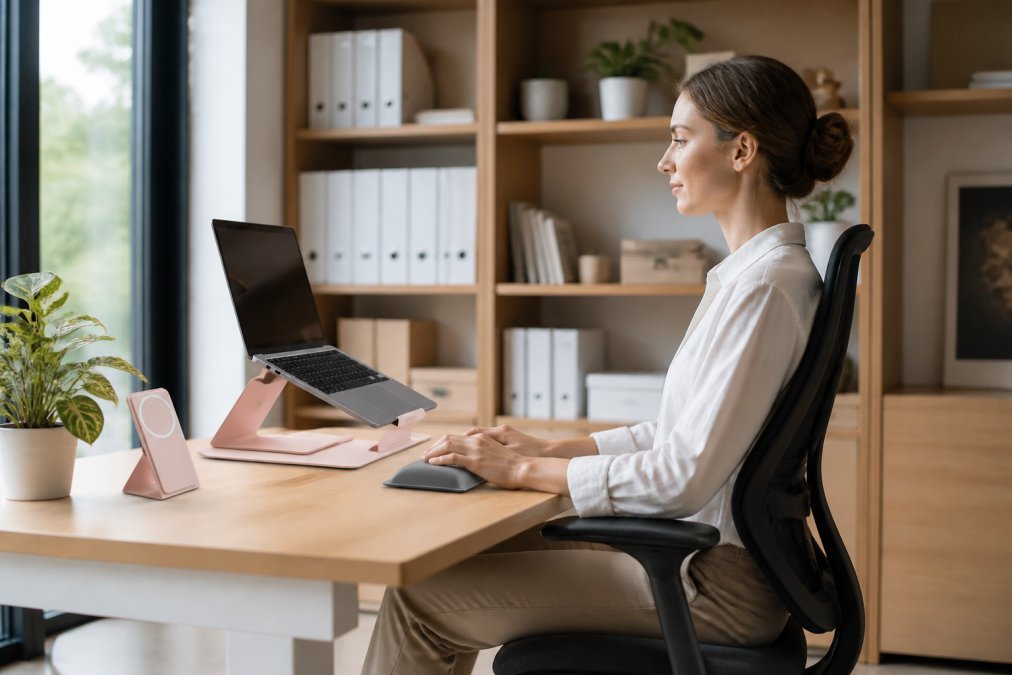
The fix requires three adjustments working together. First, raise your monitor so the top of the screen sits at or slightly below eye level when you're sitting upright. Your eyes should naturally gaze downward at about 15 degrees, not down at your chest, not straight ahead (osha.gov). Second, move the monitor closer so it's roughly an arm's length away. Third, ensure your chair provides proper cervical spine support through either a dedicated neck pillow or a high-back design with built-in support.
Many people underestimate how much monitor height matters. Even a 2-3 inch difference changes the angle of your cervical spine significantly. If you're working with a laptop, the screen is almost certainly too low. This is where a laptop stand becomes essential. The Modulemaster Adjustable Laptop Stand from MyStuff elevates your screen to the proper height while keeping your keyboard and trackpad accessible, eliminating the common problem of hunching forward to see your display.
Beyond furniture positioning, movement breaks are non-negotiable. Sitting, even in perfect posture, creates static load on your spine. Every 30-45 minutes, stand up, walk around, and do gentle neck stretches. Tilt your head slowly toward each shoulder, hold for 15 seconds, and repeat. This simple habit reduces accumulated muscle tension far more effectively than any single piece of furniture.
Key Features of Ergonomic Furniture That Actually Matter
When evaluating whether ergonomic furniture will actually reduce pain, focus on these specific features rather than marketing claims about "ultimate comfort" or "advanced support."
Lumbar Support and Spinal Alignment
Lumbar support is the most critical feature in preventing lower back pain. Your lumbar spine, the five vertebrae in your lower back, bears most of your upper body weight when sitting. Without proper support, these vertebrae compress forward, and the discs between them experience uneven pressure. Over weeks and months, this leads to disc degeneration and chronic pain.
Real lumbar support means the chair has a curved backrest that maintains the natural inward curve of your lower spine. This isn't a soft pillow, it's a firm, shaped support that prevents your spine from rounding forward. When you sit back in the chair, your lower back should feel supported without needing to arch artificially.
The best chairs offer adjustable lumbar support so you can customize the depth and height to match your body. Some people need more support higher up, while others need it lower. Fixed lumbar support works for some but fails for others. Adjustability matters because spinal anatomy varies significantly between individuals.
Proper spinal alignment extends beyond the lumbar region. Your thoracic spine, the mid-back, should also be supported. A chair that only addresses lumbar support but leaves your mid-back unsupported creates an incomplete solution. Look for chairs with a backrest that curves to support your entire spine, not just the lower portion.
Adjustable Armrests and Seat Depth
Armrests prevent shoulder strain by supporting the weight of your arms. When armrests are too high, your shoulders shrug upward, creating tension in your upper trapezius. Too low, and you're reaching down, which strains your shoulders in the opposite direction. The correct height allows your elbows to rest at roughly 90 degrees while your forearms rest on the armrest with your shoulders relaxed.
Adjustability is essential because desk heights and individual proportions vary. Fixed armrests work for almost nobody. Adjustable armrests in both height and width let you position them so your arms are supported without forcing your shoulders into an unnatural position.
Seat depth is the measurement from the front of the seat to the back. If the seat is too deep, the front edge presses into the back of your thighs, restricting blood flow and creating discomfort. Too shallow, and your thighs lack support. The ideal depth allows you to sit back fully while maintaining 2-3 inches of space between the front edge of the seat and the back of your knees (the CDC).
Ergonomic Chair Adjustment Guide
Getting the most from ergonomic furniture means adjusting it correctly for your body. A properly adjusted chair that costs $400 will reduce pain more effectively than a premium chair left in its default position.
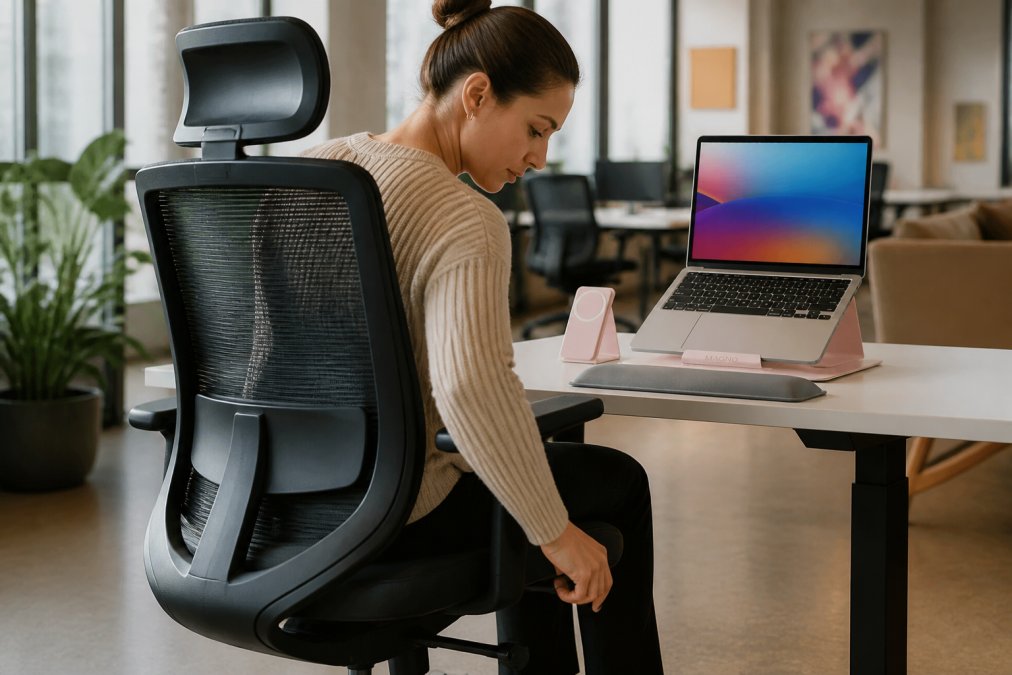
Start with seat height. Sit in the chair with your feet flat on the floor. Your knees should form a 90-degree angle, and your feet should rest flat without your legs dangling or your thighs being compressed. If your feet don't reach the floor, use a footrest. Proper seat height prevents pressure on your thighs and maintains neutral hip alignment.
Next, adjust the backrest height and lumbar support depth. Lean back slightly and feel where the lumbar curve of the chair contacts your lower back. It should support the inward curve of your spine without feeling like you're being pushed forward. If the chair has a lumbar adjustment dial or lever, experiment with different settings over the course of a week. What feels right on day one might need tweaking as your muscles adapt.
Position your armrests so your elbows rest at 90 degrees when your arms hang naturally at your sides. Your shoulders should be relaxed, not shrugged upward or stretched downward. Many people position armrests too high because they think more support is better. The opposite is true, armrests that force your shoulders up create the exact tension you're trying to avoid.
Finally, adjust your desk and monitor height so your elbows rest at desk level when sitting upright. Your monitor should be positioned so you're looking slightly downward, not up or straight ahead. This combination of seat height, desk height, and monitor position creates the neutral sitting posture that reduces strain across your entire spine.
Benefits of Standing Desks for Back Pain
Standing desks address a fundamental problem with sitting: static posture. Even with perfect ergonomic support, sitting for 8 hours straight creates fatigue and pain because your muscles aren't actively engaged. Standing desks interrupt this pattern by allowing you to alternate between sitting and standing throughout the day.
The benefits are real but specific. Standing engages your core muscles and leg muscles, which prevents the deconditioning that comes from prolonged sitting. This engagement also helps maintain better posture naturally, when you're standing, slouching feels uncomfortable, so your body naturally adopts better alignment.
However, standing all day is no better than sitting all day. The key is alternating. A common recommendation is to stand for 20-30 minutes, then sit for 20-30 minutes, cycling throughout the day. This rhythm prevents the fatigue that comes from either position alone.
Standing desks work best when combined with proper desk height and monitor positioning. Your elbows should still be at roughly 90 degrees, and your monitor should still be at eye level. Many people buy standing desks and position them incorrectly, which negates the benefits and sometimes creates new problems like shoulder strain.
For people with existing back pain, standing desks provide relief by reducing sustained pressure on the lumbar spine. The movement between sitting and standing also increases blood flow and reduces the stiffness that comes from prolonged static posture. Research from the National Institute for Occupational Safety and Health emphasizes that movement variety, not any single posture, is most important for musculoskeletal health.
Budget-Friendly Ergonomic Modifications You Can Start Today
You don't need to spend thousands on ergonomic furniture to reduce pain. Several low-cost modifications address the most common problems.
A basic laptop stand costs $20-50 and solves the most common neck pain trigger: a screen that's too low. Simply elevating your laptop to eye level reduces cervical strain immediately. The Modulemaster Adjustable Laptop Stand from MyStuff ($48.66) provides sturdy elevation with adjustability, keeping your screen at the correct height without requiring a full desk overhaul.

A lumbar pillow ($15-30) provides targeted lower back support if your current chair lacks it. Position it at the curve of your lower spine, and it maintains the natural inward curve of your lumbar spine. This is a temporary solution that works surprisingly well for many people.
An ergonomic mouse ($20-40) reduces wrist and forearm strain. Standard mice force your wrist into an unnatural angle. An ergonomic mouse, particularly one designed with a vertical or contoured grip, keeps your wrist in a neutral position. The Wireless RGB Gaming Mouse from MyStuff ($13.13) features an ergonomic honeycomb design that reduces palm pressure and supports natural hand positioning.
A footrest ($15-30) solves the problem of feet dangling when your desk is too high. Your feet should rest flat on something, either the floor or a footrest. Dangling feet create tension in your lower back and thighs.
Monitor arms ($30-60) allow precise positioning without requiring a new desk. A monitor arm lets you move your screen to the exact height and distance you need, which is often impossible with a fixed monitor stand.
The most effective budget approach combines several small adjustments rather than one expensive purchase. Proper monitor height, a supportive keyboard and mouse position, a lumbar pillow, and regular movement breaks often reduce pain as effectively as a $2,000 ergonomic chair, and the total cost might be under $150.
Common Office Habits That Sabotage Ergonomic Benefits
Even with perfect ergonomic furniture, certain habits create pain and undo the benefits of your setup.
Leaning forward to read your screen is the single most damaging habit. It overrides whatever lumbar support your chair provides and creates excessive cervical strain. If you find yourself leaning forward, your monitor is either too far away or too low. Move it closer and higher.
Cradling your phone between your ear and shoulder while typing creates intense upper trapezius tension. Use a headset or speakerphone instead. This single change eliminates a major source of neck and shoulder pain for many remote workers.
Slouching into your chair defeats lumbar support. Sit back fully so your entire back contacts the backrest. Your lower back should feel the lumbar support, not float away from it.
Keeping your mouse too far from your body forces your shoulder forward and creates tension in your shoulder joint. Your mouse should be directly beside your keyboard, close enough that your elbow stays near your torso.
Ignoring the need for movement is perhaps the most underestimated problem. Ergonomic furniture supports your spine, but movement is what keeps your muscles healthy. Without regular breaks to stand, stretch, and move, muscles tighten and pain develops regardless of how well your chair supports you. A 5-minute walk or some gentle stretching every 45 minutes makes an enormous difference.
Working on your laptop without a stand and external keyboard forces you into a hunched posture that no ergonomic chair can fix. Your laptop screen will always be too low, and your keyboard will force your wrists into an angle that creates strain. A simple stand and wireless keyboard solve this problem.
Does ergonomic furniture really reduce pain? Yes, when it's properly selected, correctly adjusted, and used alongside good posture habits and regular movement. The furniture provides the foundation, but your habits determine whether that foundation translates into actual pain relief. MyStuff's ergonomic solutions, from adjustable laptop stands to ergonomic mice, are designed to support proper positioning throughout your workspace. Start with the adjustment guide, identify which positions create strain in your current setup, and address those specific problems with targeted modifications. The combination of proper furniture, correct adjustment, and movement breaks is what actually reduces pain, not any single product alone.
Frequently Asked Questions
Q: Do ergonomic chairs actually help with chronic back pain?
A: Ergonomic furniture reduces pain when it addresses the root cause of your discomfort. Chronic back pain often stems from poor posture, inadequate lumbar support, and prolonged static sitting. A properly adjusted ergonomic chair with lumbar support, adjustable armrests, and seat depth can significantly reduce strain on your vertebral column and musculoskeletal system. However, the chair alone is not a cure, you must also adjust it correctly and take regular movement breaks. Combining ergonomic furniture with postural awareness and micro-breaks can produce better outcomes for pain reduction.
Q: How long does it take to feel the benefits of ergonomic furniture?
A: Most people notice improvement in acute discomfort within 1-2 weeks of proper setup and adjustment. Reduced muscle fatigue often appears within 3-5 days as your body stops overcompensating for poor positioning. However, correcting chronic pain patterns and allowing musculoskeletal adaptation can take 4-8 weeks. The timeline depends on the severity of your initial pain, how well you adjust your workspace, and whether you maintain good posture habits. Consistent use matters more than the furniture itself, sporadic proper posture won't produce lasting benefits.
Q: Are ergonomic chairs worth the money for home offices?
A: Ergonomic furniture is worth the investment if you spend 6+ hours per day at your desk and experience pain or fatigue. A quality ergonomic chair with adjustable features typically costs $300-800, but it addresses the root cause of workplace-related musculoskeletal disorders rather than masking symptoms temporarily. Consider starting with budget-friendly modifications like the Modulemaster Adjustable Laptop Stand ($48.66) to elevate your screen and reduce neck strain, then upgrade to a full ergonomic chair if needed. The cost of chronic pain, lost productivity, medical bills, and physical therapy, often exceeds the price of proper ergonomic setup.
Q: What is the 90/90/90 rule for ergonomics?
A: The 90/90/90 rule establishes the neutral sitting position: your hips, knees, and elbows should all bend at approximately 90 degrees. Your feet should rest flat on the floor, your screen at eye level, and your shoulders relaxed. This neutral alignment minimizes joint stress and pressure distribution across your spine and reduces repetitive strain injury risk. Achieving this position requires an adjustable chair with proper lumbar support, a desk at the correct height, and a monitor positioned directly in front of you. Most office workers fail this rule because their desk or chair height is wrong, adjusting these two factors alone can eliminate significant pain.
This article was written using GrandRanker